
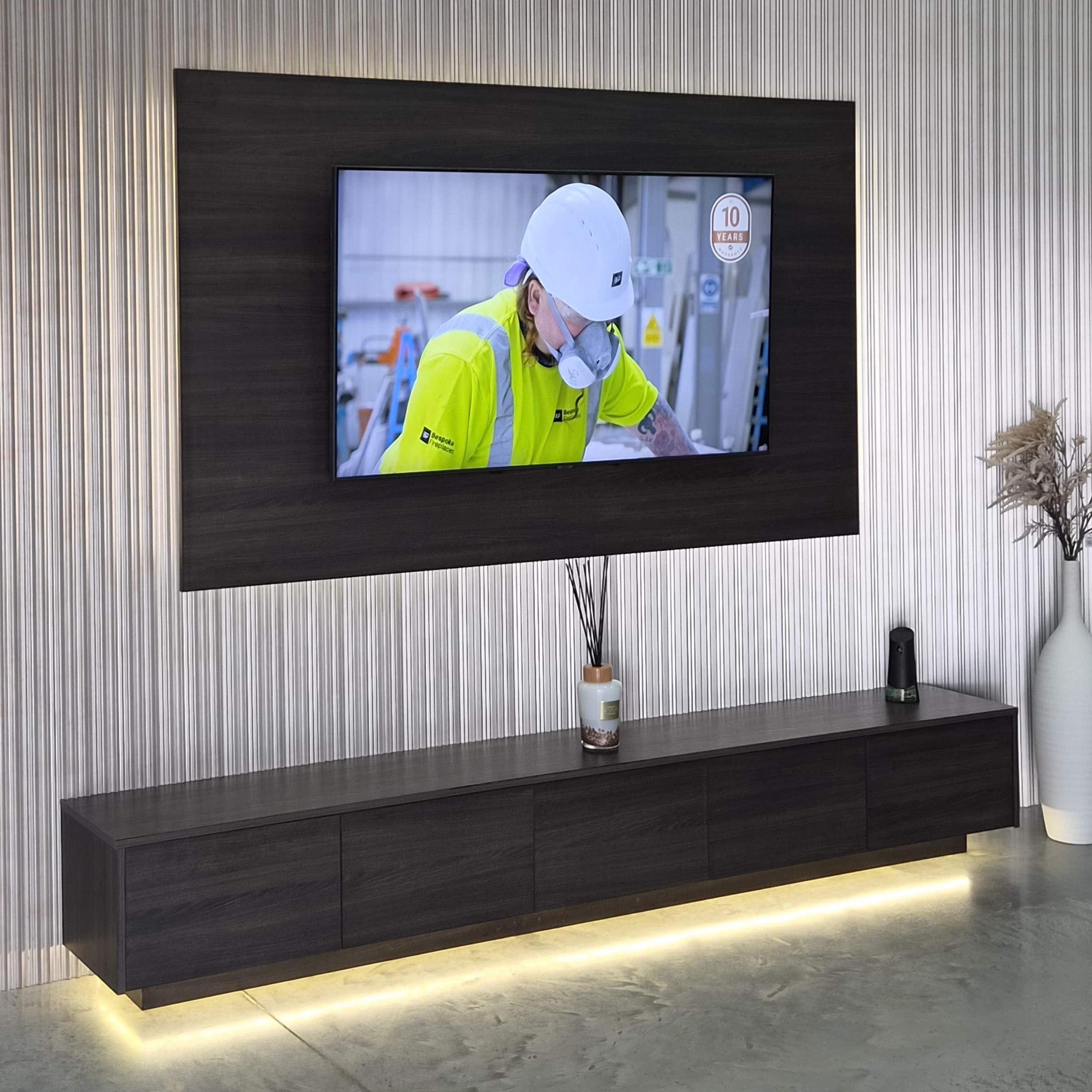
A TV feature panel is a decorative backdrop for your television. It is not a television screen. It can give the TV a defined frame, add texture or a contrasting finish, and incorporate mood lighting without requiring a complete fireplace installation.
This guide explains the difference between a TV feature panel, fluted wall panels and a complete media wall package, so you can choose the right starting point.

TV feature panel or fluted wall panels?
Our Premium TV Feature Panel With Mood Lighting is a large-format backdrop with an inner Easy Frame and LED lighting kit. It is designed to frame the television in your chosen finish.
FluteSlat and flexible paintable wall panels add a textured finish across a wall or around the TV panel. These are different components: a full media wall may use both a TV feature panel and decorative wall panels.
Choose a panel size using your TV’s actual measurements
| Recommended TV size | Feature panel width × height |
|---|---|
| 50–55 inches | 1800 × 1200mm |
| 60–65 inches | 2000 × 1200mm |
| 70 inches | 2200 × 1200mm |
| 75 inches | 2400 × 1200mm |
These recommendations come from the current standalone TV-panel listing. TV sizes are a guide; check your television's actual dimensions, bracket requirements and the installation guide before ordering. Package-specific panels can differ.
What comes with the standalone TV panel?
- TV feature panel.
- Inner Easy Frame.
- LED lighting kit with mood controls.
The TV, TV bracket, cabling and installation are separate unless listed on your invoice. Current finish options include Beige Textile, Zenit Nuvola, Black Mustang, Luxe Moonlight Taupe and Travertino Romano Chiaro. Check availability for your chosen option.
With an electric fire or without one?
A TV feature wall can work without a fire, using the panel, lighting and surrounding finish as the main design elements. If you want a fire below the TV, plan the fire, TV height, wall structure, clearances and ventilation together. The chosen fire's installation manual and the TV manufacturer's guidance determine suitability.
Explore the Panoramic S and Panoramic X electric fires, or choose a coordinated media wall package if you want to compare the fire, storage and panel layout as one design.
A practical planning checklist
- Measure the wall and television and sketch where the panel will sit.
- Check sockets, cable routes, bracket fixings and access for equipment.
- Compare the panel finish with the flooring, furniture and other wall finishes.
- Confirm exactly what the selected product or package includes.
- Use the installation guide to check wall suitability and fixing requirements.
Read our sizing guide or view the TV feature panel range. For help matching components, send our team your measurements.
Share:
Electric vs Gas Fireplaces: Which Is Right for You?
Affordable Media Wall Electric Fires: Create Your Dream Living Room for Less